404 Page Heatmap: Where Lost Visitors Go After a Dead Link
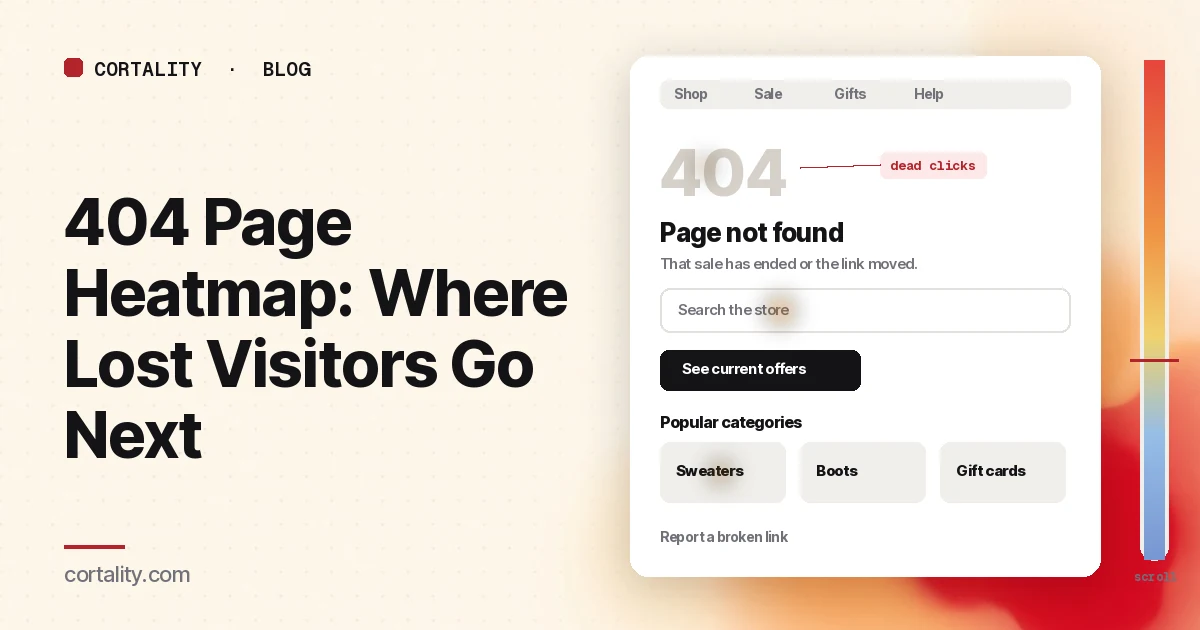
A week after Cyber Monday, a lot of what you built for the sale is gone. The doorbuster landing page is unpublished. The bundle you made for the weekend is deleted. The discount link in the email now points at nothing. Two products sold out and were removed from the catalog.
The links to those pages aren't gone, though. They're still in inboxes, in ads that are still running, in social posts, in gift guides on other sites, and in browser history. Every visitor who follows one lands on the same page: your 404 page. Most teams designed it once, years ago, and haven't looked at it since.
This guide is about reading a heatmap of that page: what to set up, what to look at first, what the common patterns usually mean, and which change to make first. It's part of our page-type series. For products that still exist but can't be bought, our out-of-stock page heatmap covers the page that stays up. This one covers the page that's gone. For the store-wide review of the sale, start with the Black Friday post-mortem, and for a wider audit of the site once the sale is over, see how to audit your website after Black Friday. If you're new to heatmaps, how to read a website heatmap covers the basics first.
Why the 404 page needs its own read
A visitor on the 404 page didn't choose to be there. They clicked a link expecting something specific, and the page has a few seconds to answer three questions:
- What happened? Is this page gone, moved, or did I mistype something?
- Is what I wanted still here? The sale, the product, the article.
- Where do I go now? One obvious next step, not a wall of links.
Those three questions are old advice. Jakob Nielsen wrote in 1998 that error messages should be in plain language that doesn't blame the user, precise about what went wrong, and constructive about what to do next, and that a 404 page should include a search field (Nielsen Norman Group, Improving the Dreaded 404 Error Message). Google's own guidance for a custom 404 page says much the same: tell visitors clearly that the page can't be found, keep the same look and navigation as the rest of the site, consider links to popular pages and the home page, and think about a way to report a broken link (Google Search Central, Troubleshoot crawling errors).
A heatmap tells you whether your page does any of that for the people who actually land on it.
What a 404 page heatmap shows
A heatmap adds up clicks and scrolls from many visits onto one screenshot of the page. Microsoft Clarity, a free analytics tool, will draw one from any amount of traffic, for a single page or a group of pages (Microsoft Clarity, Heatmaps overview).
The click map ranks elements by clicks, including things that aren't links, and lets you switch to dead clicks, rage clicks, first clicks and last clicks. From any element you can open the session recordings behind it (Microsoft Clarity, Click maps). On a 404 page, the first click is the one that matters most: it shows which way out visitors reach for.
The scroll map shows how far down the page people get (Microsoft Clarity, Scroll maps). Most 404 pages are short, so the scroll map is less about depth and more about whether anything useful sits below the fold on a phone.
Make sure you're mapping the right thing
A 404 page is unusual: it has no address of its own. It appears at every broken URL. Before reading anything, check three things.
Does your tracking script run on the 404 page? It usually does if the 404 page uses the same template as the rest of the site. If your server or host shows its own default error page, your script may not be there at all. Visit a made-up URL on your site and check that the visit appears in your tool.
Can you see the 404 page as one page? A heatmap of one broken URL only shows visitors who followed that link. Check whether your tool can group pages by title or by a custom tag set on the 404 template. If it can't, start with your most visited broken URLs and read each one on its own.
Does the page return a 404 status? Open your browser's developer tools on a made-up URL and check the status code. Google's documentation says a custom 404 page should return a 404 status so it isn't indexed, and that a page saying "not found" with a 200 status can be reported as a soft 404 (Google Search Central, Troubleshoot crawling errors). URLs that return 4xx codes are removed from Google's index over time (Google Search Central, How HTTP status codes affect Google's crawlers). That's what you want for a page that's really gone.
Set it up so the map means something
- List the broken URLs that bring visitors. Your analytics can usually show page views where the page title is your 404 title, with the URL that was requested. Sort by visits. That list is the most useful thing on this page.
- Note where each one comes from. A dead link in last week's email, a paused ad still showing, a link from another site, or a typo. The fix is different for each.
- Split by device. Email and social traffic is mostly opened on phones. Read mobile and desktop separately. Our guide to mobile vs desktop heatmaps explains why the maps differ.
- Use a window that starts when the sale pages came down. Visits in the two weeks after a sale end look different from a quiet month. Don't mix the two.
- Write down what counts as a good outcome. Usually a 404 visit that is followed by a view of a product, a category, a search result or the page that replaced the old one, in the same session.
- Use a fixed window. Aim for a few hundred page views per device. If your traffic is low, heatmaps on a low-traffic website covers what you can still learn. Before you have data, our free page leak scan predicts where attention will land on any page you give it. It's a prediction, not your visitors' behavior, but it shows where to look first.
Fix the biggest dead links before the page
The heatmap tells you how the 404 page handles visitors. The list of broken URLs tells you how many visitors it shouldn't have to handle at all. Start there.
A retired sale page with a clear successor. If the Black Friday page has been replaced by a holiday or clearance page, Google recommends a 301 redirect when a page has moved or has a clear replacement (Google Search Central, Troubleshoot crawling errors). Visitors arrive somewhere relevant without seeing an error.
A removed product with a close match. Redirect to the closest product or its category if there's a genuine replacement. If there isn't, let it return a 404 and make the 404 page useful. Sending every dead link to the home page hides the problem and rarely answers what the visitor came for.
A dead link you control. Fix the source: the email template, the ad's final URL, the link in your own navigation or blog. A broken link inside your own site is the cheapest fix there is.
A typo or a mangled link on another site. Redirect the obvious misspellings that bring real traffic. Leave the rest to the 404 page.
Read the first screen first
Expect most attention near the top. In Nielsen Norman Group's eyetracking research, people spent about 57% of their page-viewing time above the fold and about 17% on the second screenful (Nielsen Norman Group, Scrolling and Attention). On a 404 page, the first screen should do the whole job.
Check that the message is plain. "We can't find that page" is clearer than an error code or a joke. A joke can work, but only after the visitor knows what happened.
Check that there's one obvious next step. For a store right after a sale, that's often search plus a link to the current offers. For a SaaS site, it may be search plus the docs or the home page.
Check that the normal navigation is there. Google's guidance is to keep the same look and navigation as the rest of the site. A bare error page with no header leaves visitors only the back button.
Then read the clicks
Heavy use of the search box is a good sign that the page is working, and a clue to what visitors expected. Read what they search for. If the top searches are for the sale or one product, that page deserves a redirect or a link. Our site search heatmap covers what happens after they search.
Dead clicks on the illustration or the error message mean visitors expect it to do something. Make the main message link somewhere useful, or move the real options closer to it. Our guide to rage clicks and dead clicks explains how to tell frustration from curiosity.
Most first clicks on the logo or the home link usually mean the page offers nothing closer to what visitors wanted. That's not a failure, but a home page is a long way from a specific product. Add links that match your top broken URLs: current offers, best-selling categories, the replacement for a retired page.
Clicks on suggested links nobody needs show where the page guesses wrong. A list of five blog posts on a store's 404 page rarely matches what a visitor from a sale email was looking for.
Clicks on a "report a broken link" option are rare but worth reading. Each one is a visitor telling you where the dead link lives.
Visits that end on the 404 page with no click at all are the cost you're trying to cut. Count them before and after each change.
Then read the scroll map
Note the average fold on each device. If the search box or the main links sit below it on a phone, most visitors never see them. Big illustrations push useful options down; keep them small on mobile. If the page has a long list of links, check how far down anyone gets. Usually a few well-chosen links beat a full sitemap. Our scroll map analysis guide goes deeper on reading drop-off, and the website navigation heatmap covers the menus visitors fall back on.
Common mistakes reading a 404 page heatmap
Treating it as one page with one audience. Visitors from a dead email link and visitors from a typo want different things. Read the top broken URLs separately when you can.
Fixing the page before the links. A better 404 page helps every lost visitor. A redirect or a fixed email link means they don't get lost.
Redirecting everything to the home page. It removes the error, and the visitor still has to start over.
Returning a 200 status. The page looks fine to visitors, and Google may report it as a soft 404.
Forgetting about it once the sale is over. Dead links pile up after every campaign. Check the list of broken URLs after each one.
Turn one pattern into one change
Pick one pattern, write down what you think it means, make one change, and re-measure over a window of the same length. For example (illustrative): "On mobile, most 404 visits come from last week's Black Friday email, and many end with no click. If we redirect the old sale URL to the current holiday offers page, the number of sessions that end on the 404 page should fall over the next two weeks."
Our CRO hypothesis template gives you a format for writing these down. If your traffic is too low for a clean A/B test, CRO without A/B testing shows how to measure a before-and-after honestly. If you'd rather not run that re-measurement by hand, every Cortality plan re-measures each fix you ship; compare the plans.
404 page heatmap checklist (copy this)
- Tracking script confirmed on the 404 page with a made-up URL
- 404 page returns a 404 status code, not 200
- List of broken URLs sorted by visits, with where each comes from
- Retired pages with a clear replacement redirected with a 301
- Dead links in your own emails, ads and navigation fixed at the source
- Desktop and mobile read separately
- Plain message and one obvious next step on the first screen
- Search box and normal navigation present
- Sessions that end on the 404 page counted before and after
- One change shipped, re-measured over the same window length
Where Cortality fits
Most of this comes down to one question: when a visitor follows a dead link, do they find what they came for, or leave? Cortality measures how real visitors use every part of your pages, on each device, including the search box, the navigation and the links you offer when something's missing. You get a ranked list of fixes, each with the evidence and the exact change to make, and after you ship a fix Cortality re-measures it and tells you whether it worked. It works alongside Google Analytics and Microsoft Clarity rather than replacing them. See how it works or what a finding looks like. If you run a Shopify store, see Cortality for Shopify stores.
For a quick first look, our free page leak scan takes about a minute and needs no install. It's a prediction from our attention model, not data from your real visitors, so use it to decide where to look first.
Plans are $99, $249 or $499 a month (Starter, Growth and Scale). Start your free week, and you see your first report before you pay. You save a card at signup, and nothing is charged until 3 days after your first report. Cancel before then and you pay nothing, and any charge can be refunded within 14 days. How the free week works.
Questions
What does a 404 page heatmap show?
Where visitors click or tap after they land on a page that doesn't exist, how far they scroll, and which elements they click that don't respond. That usually means whether they use the search box, the navigation, the suggested links, the back button of their browser, or nothing at all. Read next to a list of the URLs that triggered the 404, it also shows which dead links cost you the most visitors.
Why look at the 404 page after Black Friday?
Because that's when many stores retire pages that still have links pointing at them: sale landing pages, discount URLs, gift bundles and sold-out products. Those links live on in emails, ads, social posts and other sites for weeks. Every visitor who follows one lands on the 404 page.
Should a 404 page return a 404 status code?
Yes. Google's documentation says a custom 404 page should still return a 404 HTTP status code so it isn't indexed. A page that says 'not found' but returns 200 can show up as a soft 404 in Search Console. If a removed page has a clear replacement, Google recommends a 301 redirect to it instead.
My heatmap shows a different map for every broken URL. How do I see the 404 page as one?
Each broken link is a different address, so a map of one URL only shows the visitors who followed that link. Check whether your analytics or recording setup can group pages, for example by page title or by a custom tag set on the 404 template. If it can't, read the map for your most common broken URLs one at a time, and use session recordings for the rest.
Where does Cortality fit on a 404 page?
Cortality measures how real visitors use each part of your pages, including the search box, the navigation and the links on your 404 page, on each device. It ranks what to fix, and re-measures each change you ship. It works alongside Google Analytics and Microsoft Clarity rather than replacing them. Before a page has traffic, the free page leak scan at /leak/ is a prediction from our attention model, not data from your real visitors.