Google Ads Landing Page Experience Below Average? How to Find the Cause and Fix It
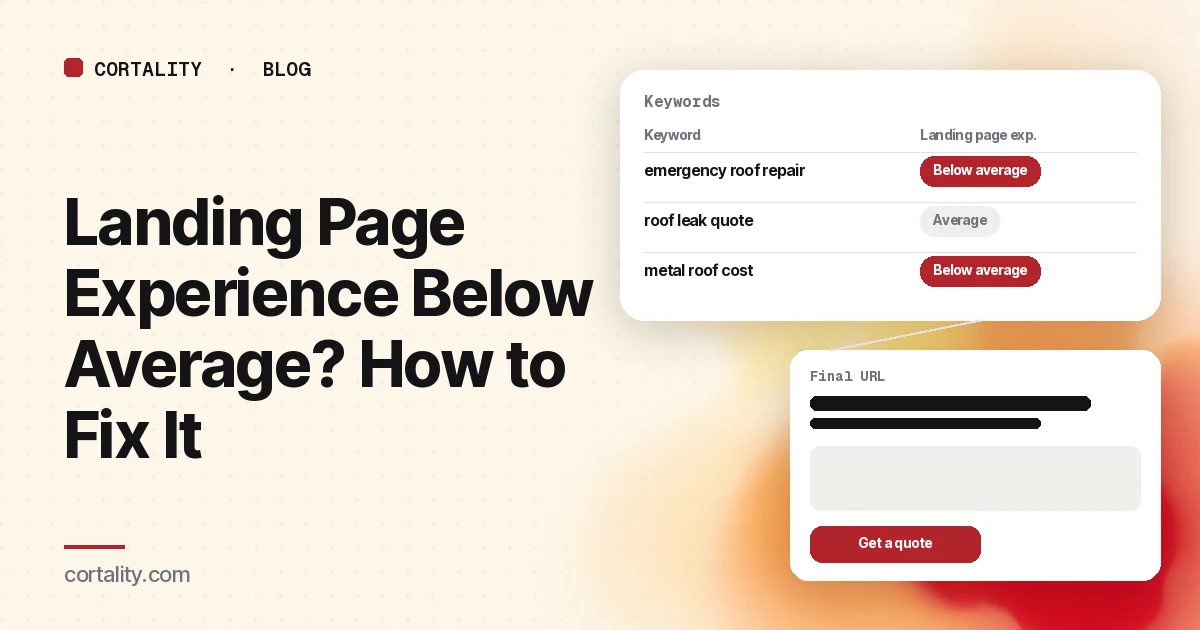
You open the keywords table in Google Ads, add the Quality Score columns, and there it is: Landing page exp.: Below average on some of the keywords you spend the most on. The label tells you something is wrong with the page. It doesn't tell you what.
This guide explains what the rating measures, how to find the pages and keywords behind it, the seven causes worth checking (in the order we'd check them), and how to know whether your fix worked.
What the rating actually measures
Google's Quality Score help page defines landing page experience as "how relevant and useful your landing page is to people who click your ad." It's one of three Quality Score components, along with expected clickthrough rate and ad relevance. Each gets a status of Above average, Average or Below average.
Two details matter for how you read it:
- It's relative. The status compares your page with other advertisers whose ads showed for the exact same search over the last 90 days. A page can be decent in absolute terms and still rate below average if competitors send searchers to pages that match the search more closely.
- It's a diagnostic, not a score to chase. Google says Quality Score is not a key performance indicator and not an input in the ad auction. Treat it as a pointer to pages that are probably disappointing the people you pay to bring there.
If the column shows "—", Google doesn't have enough exact-match searches for that keyword to rate it yet.
Find which keywords and pages are behind it
Before you change anything, find out where the problem is concentrated. In Google Ads:
- Go to Keywords in the Campaigns menu.
- Open the columns menu, find the Quality score section, and add Landing Page Exp., Quality Score, plus Cost, Conversions and Conv. rate if they aren't showing.
- Filter to Landing Page Exp. = Below average and sort by cost.
- Note the ad groups those keywords belong to, then open each ad group's ads and copy the final URL.
Now you have a short list of pages, ranked by how much money goes to them. Start at the top. A below average rating on a keyword that barely spends isn't worth a page rebuild.
One pattern shows up often: several ad groups with different themes all point to the same general page, usually the homepage or a broad category page. If that's what your list shows, you've probably found the main cause already.
The seven causes, in the order to check them
Open each page on your phone first, then on desktop, with the ad and the search terms report next to it.
1. The page doesn't show what the search asked for
Google's own example in its guide to using Quality Score: someone who searches for "flannel shirts" and clicks your ad for flannel shirts should land on a page that features your flannel shirts. Read the top search terms for the ad group, then look at the first screen of the page. Is the thing they searched for there, without scrolling? Google notes the page doesn't need the exact search phrase word for word, but it should clearly be about the same thing. If the page is about something broader, send the ad group to a more specific page, or build one.
2. The page doesn't repeat the ad's promise
If the ad says "Free same-day quote" and the page headline says "Welcome to Smith Roofing," the visitor has to work out whether they're in the right place. Keep the ad's main promise, offer or price in the headline or right under it, and use the same words. It's the cheapest fix on this list and often the most effective.
3. The main action is hard to find or hard to take
Look at the first screen on a phone. Can you see what to do next? Is there one clear button, or five competing links? If the action is a form, count the fields. Every field you don't need is a reason to leave; our guide to lead gen form fields covers which ones to keep and which to cut.
4. It's slow, especially on mobile
Paid visitors are impatient, and Google's guidance on landing pages mentions load speed directly. Run the page through PageSpeed Insights and look at the field data for phones if it's available. Google's Core Web Vitals targets for a "good" experience are Largest Contentful Paint within 2.5 seconds, Interaction to Next Paint under 200 milliseconds and Cumulative Layout Shift under 0.1 (web.dev). The usual culprits on landing pages are an oversized hero image or video, chat and tracking scripts loading before the content, and fonts that block the first render.
5. It's awkward to use on a phone
Text too small to read without zooming, buttons too close together, a pop-up that covers the content on arrival, a sticky bar that hides the form. Use the page on an actual phone, not a resized desktop browser. Our guide to low mobile conversion rates has a full list of checks.
6. Visitors can't tell who you are or why to trust you
A paid visitor often hasn't heard of you. Can they see, near the first ask, what the business is, where it's based or who it serves, and some proof (reviews, a guarantee you actually offer, clear contact details)? Pages that hide prices, phone numbers or company details make people hesitate. See trust signals to show before your first CTA.
7. The page leaks attention to everything else
Full site navigation, links to the blog, social icons, an unrelated promo banner: each one is a way off the page that isn't the action you paid for. Landing pages for ads usually work better with fewer exits. You don't have to strip everything, but the main action should be the most obvious thing on the page.
How to tell if your fix worked
Because the status is relative and based on historical data, don't wait on the label to judge a change. Track what you can see sooner:
- Conversion rate for the ad group, over equal windows before and after the change, with the same budget and targeting. Google itself suggests conversion rate as a proxy for landing page experience.
- Engagement on the page: bounce rate or engagement rate in Google Analytics, and how far visitors scroll. Our post on high bounce rate on a landing page covers how to read those numbers.
- What visitors do with the part you changed. If you moved the form up, did more visitors see it, and did more of those who saw it start it?
Change one thing per page at a time if you can, so you know what made the difference. The method is in our guide to CRO without A/B testing.
If the label still hasn't moved after a few weeks but conversions are up, you're still getting more out of the same ad spend, which is the point.
When the page isn't the problem
Sometimes the page is fine and the traffic is wrong. If your search terms report is full of searches that have nothing to do with what you sell, no landing page will satisfy them. Tighten match types, add negative keywords, and split broad ad groups into tighter themes before you redesign anything. The same applies to paid social: if clicks are cheap but nobody converts, start with Facebook ads that get clicks but no sales.
Where Cortality fits
Google Ads tells you a page is below average, not which part of it is letting visitors down. Cortality measures how real visitors use every part of the page: where they look, scroll, tap and stop, on each headline, image, button and form field. You get a ranked list of fixes, each with the evidence and the exact change to make, and after you ship a fix Cortality re-measures it and tells you whether it worked. It works alongside Google Analytics and Google Ads reporting rather than replacing them. See how it works, what a finding looks like, or what's in a landing page CRO audit.
For a quick first look at one of your ad landing pages, our free page leak scan takes about a minute and needs no install. It's a prediction from our attention model, not data from your real visitors, so use it to decide where to look first.
Plans are $99, $249 or $499 a month (Starter, Growth and Scale). Start your free week, and you see your first report before you pay. You save a card at signup, and nothing is charged until 3 days after your first report. Cancel before then and you pay nothing, and any charge can be refunded within 14 days. How the free week works.
Questions
What does landing page experience below average mean in Google Ads?
It's one of the three parts of Quality Score. Google rates how relevant and useful your landing page is to people who click your ad, compared with other advertisers whose ads showed for the exact same search over the last 90 days. "Below average" means your page did worse than most of them on that comparison.
Does a below average landing page experience raise my costs?
Google says the Quality Score number itself is a diagnostic tool and not an input in the ad auction. It's still a useful warning: a page rated below average is probably disappointing many of the people who click, and you pay for those clicks either way.
How long does it take for the landing page experience status to change?
Google doesn't publish a timeline. The status is based on historical impressions and a comparison with other advertisers, so it won't change the day you ship a fix. Track the page's conversion rate and engagement in the meantime; Google suggests conversion rate as a proxy for landing page experience.
Should I send Google Ads traffic to my homepage?
Usually not, unless the ad is about your brand as a whole. A homepage tries to serve everyone, so it rarely matches a specific search as closely as a page about that product, service or offer.