Trust Signals Before the First Ask: A 5-Minute Mobile Check for Your Homepage
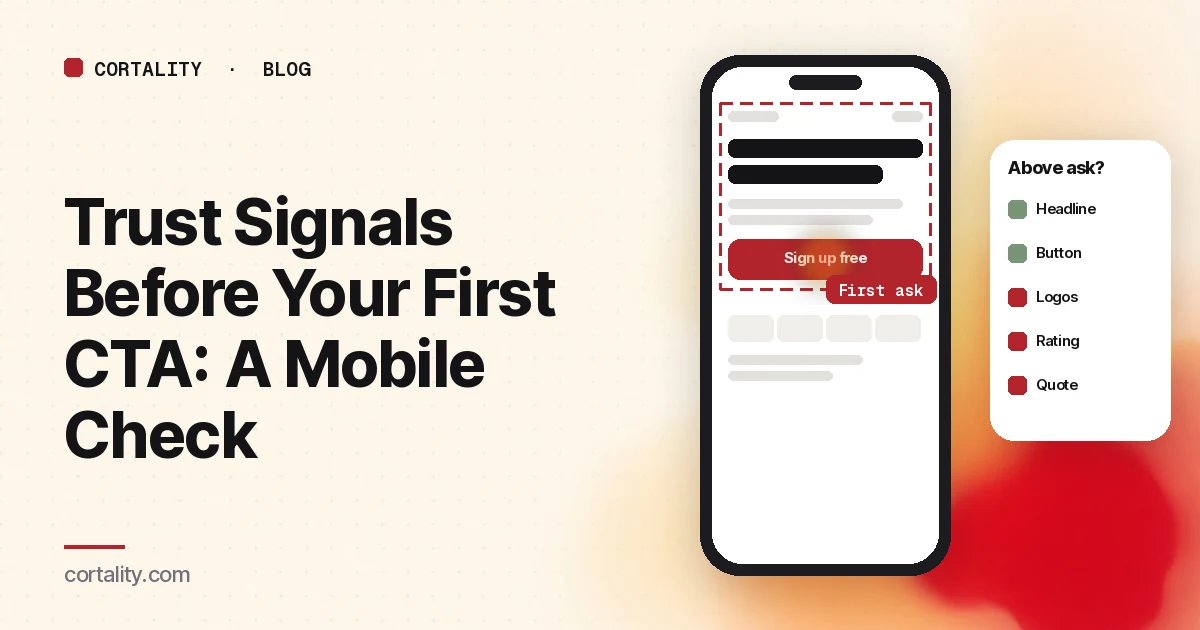
Most homepages ask for something early: "Sign up free," "Get started," "Book a demo." On a laptop, that button usually shares the first screen with a logo row or a rating. On a phone, the layout stacks into one long column, and the order changes what a visitor sees first. The button often arrives before anything that answers the question a new visitor is quietly asking: why should I believe you?
This post is a quick check for that gap, with one well-known page as a worked example.
A worked example: Calendly's homepage on a phone
We ran Calendly's homepage through Cortality's free page scan, rendered at 390 pixels wide, about the width of a current iPhone. The first thing the scan flagged was no trust signal before the first ask: on that render, the first button appears before any customer logo, rating or named customer.
Two caveats matter. First, this is a prediction from a free scan of one page, not measured visitor data, and the live page may differ from the render. Second, Calendly is a product a lot of people already use every week. Its visitors arrive trusting the name, so the missing signal probably costs Calendly far less than it would cost a company most visitors have never heard of. That's the useful lesson here: a famous brand can skip proof near the first ask; a smaller one copying the same layout usually can't.
Why the order matters more on a phone
Attention drops quickly as people move down a page. In Nielsen Norman Group's 2018 eyetracking study, people spent about 57% of their page-viewing time above the fold and about 74% in the first two screenfuls. That study used desktop screens, but the pattern it describes (most attention near the top, a long thin tail below) is the reason the top of a phone layout is so valuable: a phone's first screen holds much less than a desktop's.
When a desktop layout collapses to one column, things that sat side by side get stacked. A logo strip that was beside the headline on desktop can end up below the hero image, the button, and a paragraph of copy. Nobody decided to hide it. The stacking order did.
The 5-minute check
- Open the page on a phone. A real phone is best. A browser's device mode set to 390 pixels wide is fine for a first pass.
- Scroll until the first button appears, then stop. That's your first ask, whether it says "Sign up," "Start free," "Book a call" or "Shop now."
- List everything above it. Logo, menu, headline, subhead, image, badges, the button itself.
- Mark anything a stranger could verify. A named customer, a rating with its source, a number of reviews, a recognizable integration, a true compliance note.
- If nothing is marked, you've found the gap. If something is marked but it's tiny, grey and under the image, note that too.
Do the same check on your highest-traffic landing page, not just the homepage. Paid traffic often lands deeper in the site, on pages that got less design attention.
Which signals to move up, and which to leave alone
Not all proof is equal. Roughly in order of how much a stranger can check:
- Named customers or logos that your visitors would recognize. Only use ones you have permission to show.
- A rating with its source and count, like a review-site score with the number of reviews. A score without a source reads as decoration.
- One short quote with a real name and role. One good quote near the button beats a carousel of five lower down.
- Concrete facts about you: company name, where you're based, how long you've been around. These matter more for smaller companies.
- True security or privacy notes, but only ones that are accurate today. An implied certification you don't hold does more harm than having none.
What to leave alone: vague crowd claims ("trusted by thousands"), stock-photo faces, and badges that don't link anywhere. They take space on the most valuable screen without answering the visitor's question.
How to fit proof on the first phone screen
The first phone screen is small, so this is about trade-offs, not adding more:
- Shorten the subhead to one line and use the space for one line of proof under the button.
- Shrink or move the hero image on mobile. A large illustration often pushes everything else down a full screen.
- Put a compact logo row or a rating line directly under the first button, not in a separate section further down.
- Check what overlays cover. A cookie banner or chat bubble sitting on the bottom of the first screen can hide exactly the line you just moved up.
Then look at the next ask down the page. Long pages usually repeat the button several times, and each repeat is a chance to put a different piece of proof right next to it. If your page is long, our guide to long homepages on mobile covers how to decide what to cut. And if your first ask is a button to a separate signup page, read button or inline form for the first ask next.
Who should care most
- SaaS companies that aren't yet household names: your visitor is comparing you against tools they already know. See Cortality for SaaS and our SaaS homepage best practices.
- Online stores with paid social traffic: the shopper tapped an ad from a brand they've never seen. See Cortality for Shopify stores and the mobile conversion checks for stores.
- Agencies auditing client pages: this check takes five minutes per page and is easy to show a client. See Cortality for agencies.
Measure it after you change it
Moving proof up is a hypothesis, not a result. Note the date you ship the change, then compare the same period before and after: clicks on the first button, and how far visitors get after that. If you don't have the traffic for an A/B test, CRO without A/B testing shows how to read a before-and-after honestly. If the page still isn't converting, work through why a landing page isn't converting.
Where Cortality fits
Our free page leak scan renders your page at desktop and phone widths and predicts where visitors look, the same kind of render used for the Calendly example above. No install needed. It's a prediction from our attention model, not data from your real visitors, so treat it as a place to start.
Cortality's paid product measures how real visitors use every part of your page, including whether they ever see the proof you moved up, then gives you a ranked list of fixes and re-measures after you ship one. See what a finding looks like and how it works.
Start your free week, and you see your first report before you pay. You save a card at signup, and nothing is charged until 3 days after your first report. Cancel before then and you pay nothing, and any charge can be refunded within 14 days. How the free week works.
Questions
What counts as a trust signal on a homepage?
Anything a stranger can check that shows you're real and that people like them already use you: named customer logos, a review rating with its source and count, a short quote with a real name, a recognizable integration, a security or compliance note that's true, or a clear company name and location. Vague claims like 'loved by teams everywhere' don't count, because a visitor can't check them.
Should trust signals go above or below the first CTA?
For a visitor who doesn't know you yet, put at least one checkable signal on the first phone screen, near the first ask. Famous brands can sometimes skip this because the visitor already trusts the name. A smaller company usually can't, since the visitor has no reason yet to believe the claim in the headline.
How do I check what's above my first CTA on a phone?
Open the page on a real phone, or a browser's device mode at 390 pixels wide, and stop scrolling the moment the first button appears. Write down everything above it. If none of it is something a stranger could verify, you've found the gap.
Is the Calendly example based on real visitor data?
No. It comes from Cortality's free page scan of one page, rendered on a 390-pixel-wide phone screen. It's a prediction from a render, not measured visitor data, and the live page may have changed since.