Signup Button or Inline Form? How to Choose Your Homepage's First Ask
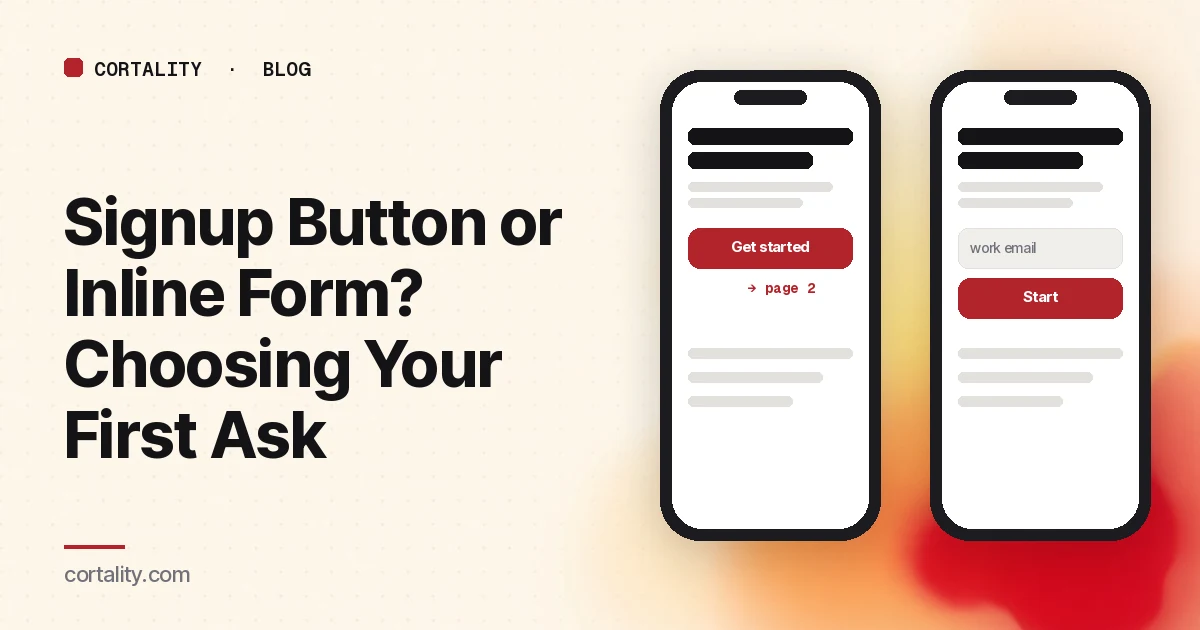
Every homepage has a first ask. On most SaaS sites it's a button ("Sign up free," "Get started") that opens a separate signup page. Some sites instead put a short form, often a single email field, right on the homepage. Both are reasonable. They fail in different ways, and the step between them is easy to miss because it sits between two pages.
The example: a button that leads somewhere else
When we ran Calendly's homepage through Cortality's free page scan on a 390-pixel-wide phone render, the scan reported no form found on the page: the first ask is a button that takes visitors to another page. That's a prediction from a free scan of one page, not measured visitor data, and the live page may differ.
It's also a very common, sensible pattern. Calendly is a product many visitors already know, and a separate signup page gives the product room to explain plans and options. The point isn't that the button is wrong. It's that on a page built this way, the first button is the step that deserves the closest look, because everything after it happens somewhere your homepage analytics may not connect.
What each option costs
A button to a separate signup page:
- Keeps the homepage focused on explaining the product.
- Lets the signup page carry plan details, sign-in options and terms.
- Adds a page load, and a moment where the visitor sees a new layout and has to reorient. On a slow phone connection, that moment is longer.
- Splits your data: homepage tools see the click, the signup page sees the form, and the gap between them is easy to ignore.
An inline form on the page:
- Lets a ready visitor start without leaving.
- Makes the ask concrete: one field is less abstract than "Get started."
- Takes space on the first phone screen, which competes with the headline and proof. See trust signals before the first ask for why that space matters.
- Can feel like a commitment before the visitor understands what they're signing up for, especially for complex products.
When each one tends to fit
These are starting points, not rules. Your own numbers decide.
- Well-known product, visitors arrive ready: a button to a full signup page is usually fine. The visitor already knows what they want.
- Simple offer, one obvious next step (a newsletter, a waitlist, a free scan): an inline field removes a step for very little cost.
- Lead generation where a person follows up (quotes, demos, consultations): a short form on the page is common, but keep it short. Our guide to lead gen form fields covers which fields to cut, and the demo request page guide covers the page itself.
- Complex or expensive product: a button to a page that explains plans can beat a form the visitor isn't ready for.
How to measure the step between the pages
You can measure the cost of the extra page with the analytics you already have. Three numbers, for the same period:
- Clicks on the first button. A click event, or page views of the signup page that came from the homepage.
- Form starts on the signup page. Google Analytics 4's enhanced measurement can record a
form_startevent the first time a visitor interacts with a form in a session. - Form submits. The same enhanced measurement option records
form_submitwhen the form is sent.
The gap between 1 and 2 is the cost of the extra page: people who clicked, saw the signup page and left without touching it. The gap between 2 and 3 is the form itself. If most of your loss is between 2 and 3, read how to find where visitors abandon your form. If it's between 1 and 2, look at the signup page's first screen: does it match the promise on the button, load fast on a phone, and show the first field without scrolling?
Quick fixes for each pattern
If you use a button:
- Make the button text say what happens next ("Create your account" or "See plans") rather than a generic "Get started."
- Make the top of the signup page repeat the promise from the homepage, so the visitor knows they're in the right place.
- Put the first field on the first phone screen of the signup page.
If you use an inline form:
- Ask for one field. Move everything else to the next step.
- Label the field and the button plainly, and say what happens after they submit.
- Send people to a page that confirms what happened and what comes next. Our post on lead form thank-you pages has a checklist.
Who this matters to
- SaaS teams deciding how the homepage hands off to signup. See Cortality for SaaS.
- Stores collecting emails or running quizzes from the homepage. See Cortality for Shopify stores.
- Agencies who need a clear way to show a client where the handoff loses people. See Cortality for agencies.
If your page is also very long on a phone, the first ask may be the only one most visitors see. How long a homepage should be on mobile covers that side.
Where Cortality fits
Our free page leak scan renders your page at desktop and phone widths, checks for things like whether there's a form on the page, and predicts where visitors look. No install needed. It's a prediction from our attention model, not data from your real visitors, so treat it as a place to start.
Cortality's paid product measures how real visitors use every part of your page, including the button and the form, then gives you a ranked list of fixes and re-measures after you ship one. See what a finding looks like and how it works.
Start your free week, and you see your first report before you pay. You save a card at signup, and nothing is charged until 3 days after your first report. Cancel before then and you pay nothing, and any charge can be refunded within 14 days. How the free week works.
Questions
Is an inline form better than a signup button?
Neither is better in general. An inline form removes a page load and lets visitors start right away, but it takes space and can feel like a commitment before they understand the product. A button keeps the page clean and lets the signup page do the explaining, but every visitor has to make it through one more page. Which works better depends on how much the visitor needs to know before they act, and you should measure it on your own page.
How do I measure drop-off between a signup button and the signup page?
Count clicks on the button, then count visitors who start the form on the next page and those who submit it. In Google Analytics 4, enhanced measurement can record form_start and form_submit events, and a click event or a page view of the signup page covers the first step. The gap between button clicks and form starts is the cost of the extra page.
Does the Calendly example mean Calendly's homepage is wrong?
No. It's a prediction from a free scan of one page, not measured visitor data, and Calendly's visitors often already know the product. The example shows what to check, not a verdict on their page.
What should an inline form on a homepage ask for?
As little as possible: usually just a work email, or the one field that starts the process. Everything else can come on the next step, after the visitor has committed.