Lead Gen Form Fields: Which to Keep, Which to Cut, and Which to Ask Later
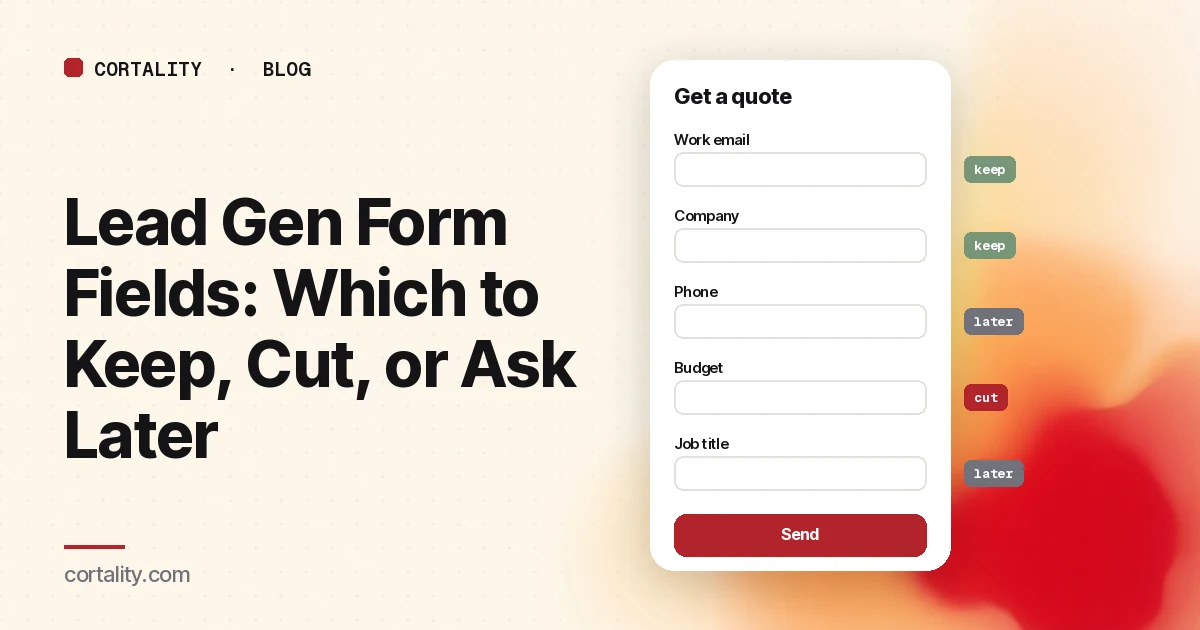
Every field on a lead form is a trade. You get a piece of information, and you pay for it in visitors who decide it isn't worth the effort. The question isn't "how short can the form be?" It's "is each field worth what it costs?"
This guide works through that question field by field for B2B lead forms: contact, quote, demo and gated content. It covers what the published tests show, which fields usually earn their place, and the small build details that lose leads even on a short form.
What the tests actually show
There's less solid data on form length than the advice suggests, and the data that exists doesn't all agree.
- Shorter won in a classic test. Marketo tested 5-, 7- and 9-field versions of its content registration form, as reported by MarketingExperiments in 2011. The 5-field form converted at 13.4%, the 7-field form at 12% and the 9-field form at 10%. Cost per lead rose from $31.24 to $41.90.
- Too short can underperform on demo forms. Factors.ai's analysis of more than 50,000 sessions on demo request forms found the best completion rate (about 51%) with 4 to 6 required fields. Forms with 1 to 3 fields completed at about 41%, perhaps because they looked like newsletter signups. Forms with 7 or more completed at about 31%.
- Purpose beats count. RevenueHero's 2025 benchmark of more than 1 million form fills found top performers at 77% with 2 fields and 76% with 13. Its conclusion: fields that neither route the lead nor help the rep prepare are the ones that hurt.
These are one test and two vendor datasets, each measured differently. Together they support a simple rule. Start lean, make sure the form clearly says what it's for, and make every extra field pay its way.
The one question to ask about every field
For each field, ask: "What will we do differently because of this answer, before the first conversation?"
If the answer is "route it to the right rep," "decide whether to call," or "prepare the call," keep it. If the answer is "it's nice for reporting" or "marketing asked for it," cut it or ask later.
Field by field
| Field | Usually | Why |
|---|---|---|
| Name | Keep, as one field | You need a name to reply. MDN recommends a single full-name field where possible, because names vary so much across cultures (MDN). |
| Work email | Keep | It's how you reply, and the domain often tells you the company. |
| Company | Often cut | You can usually infer it from the email domain or enrichment. Marketo's marketing lead said it was cheaper to buy firmographic data than to ask for it. |
| Phone | Optional, unless you'll call | Required phone fields make people wary. If you only email, don't ask. |
| Job title or role | Keep if it routes | Useful when different roles go to different reps or tracks. Offer a short dropdown instead of a free-text field. |
| Company size | Keep if it routes | Use ranges in a dropdown ("1-10," "11-50"), not an exact number. |
| Budget | Usually ask later | Most people can't or won't answer this on a first form. It's a better question for the call. |
| "How did you hear about us?" | Cut unless you use it | RevenueHero names it as a typical field that costs drop-off when nobody uses the answer. |
| Message box | Keep, optional | Lets people who want to explain do so, and costs nothing if it's optional. |
| Consent checkbox | Only if required | Add it when your legal basis for contacting people needs it, and keep the wording plain. |
Build details that lose leads on short forms
Field count isn't the only cost. These details lose people on forms of any length.
Labels outside the fields
Placeholder text that disappears when someone starts typing makes people forget what a field was for, makes errors harder to fix, and is often too light to read. Nielsen Norman Group recommends visible labels outside the fields, with any hint text also outside and always visible.
Autofill that works
Browsers can fill names, emails, phones and companies for people, but only if the fields are marked up correctly. Use the standard autocomplete values, such as name, email, tel, organization and organization-title. MDN notes that valid values also help users with cognitive and motor impairments, and are how you meet WCAG 2.2 success criterion 1.3.5, Identify Input Purpose.
The right keyboard on phones
Use type="email" and type="tel" so phones show the right keyboard and the browser can do basic validation. Google's sign-up form guidance on web.dev recommends this, along with asking for as little as possible and not making people type the same thing twice (no "confirm email" field).
Errors that keep what people typed
Check each field as people go, explain exactly what's wrong in plain words, and never clear the form when there's an error. A form that wipes a visitor's answers after a failed submit rarely gets a second try.
Required and optional, clearly marked
If some fields are optional, say so in the label. People skip forms that look longer than they are.
Static, not popup
On demo forms, Factors.ai found forms placed on the page completed at about 46%, against about 26% for forms in a modal popup. If your form only appears in a popup, test a version on the page.
Multi-step only when it reads as progress
Splitting a long form into steps can help, but it isn't magic. In Factors.ai's data, two-step demo forms completed at about 35%, below the 4-to-6-field single forms. If you use steps, put the easiest questions first and show progress.
Native ad lead forms
Ad platforms with built-in lead forms change the math because they prefill fields. LinkedIn's lead forms, for example, allow up to 12 fields, prefill contact and work details from the member's profile, and allow up to three custom questions, which are always required (LinkedIn Help). Prefilled fields cost less effort, but custom questions are still typed by hand, so the same "will we use it?" test applies.
How to audit your own form
- Write down every field and the decision it drives. Anything with no decision is a candidate to cut.
- Check the form on a phone. Fill it in yourself with autofill on. Note every field you had to type that autofill should have filled.
- Submit it wrong on purpose. Leave a required field blank and mistype the email. Does the form explain the problem and keep your answers?
- Look at the drop-off. Compare visitors who reach the form, start it, and submit it. Most form tools and analytics setups can show starts and submits. A big gap between "reach" and "start" points at the page around the form. A big gap between "start" and "submit" points at the fields.
- Change one thing, then measure. Remove one field or fix one detail, and compare equal periods before and after. Check lead quality as well as volume, because a shorter form can bring more leads your team doesn't want.
For the page around the form, our guide to the demo request page covers headlines, proof and scheduling. For the rest of the page, see why a landing page isn't converting.
The checklist (copy this)
- Each field has a written reason: it routes the lead or prepares the call
- Name is one field; work email is required; company is inferred where possible
- Phone is optional unless you will call
- Budget and "how did you hear about us?" are cut or moved later
- Labels sit outside the fields and stay visible
- Fields use standard
autocompletevalues and the right input types - No "confirm email" field
- Errors are explained inline and entered answers are kept
- Optional fields are labeled as optional
- The form is visible on the page, not only in a popup
- You track reach, starts and submits, plus lead quality
Where Cortality fits
Analytics can tell you that people didn't submit. It's harder to see whether they ever noticed the form, or which part of the page lost them first.
For a quick start, our free page leak scan predicts where visitors look on your page and what fixing it could be worth. It takes about a minute and needs no install. It's a prediction from our attention model, not data from your real visitors, so treat it as a place to start looking. You see a first-screen attention prediction right away, and the full findings arrive by email a few minutes later.
If your form sits on a SaaS site, see how Cortality fits SaaS signup and demo forms.
The paid product measures how real visitors use every part of your page, including how many of them reach your form, and gives you a ranked list of fixes with the exact change for each. It doesn't record keystrokes or form values. After you ship a fix, it re-measures to show whether it worked. See what a finding looks like.
Your first week is free, and you see your first report before you pay. You save a card at signup, and nothing is charged until 3 days after your first report. Cancel before then and you pay nothing, and any charge can be refunded within 14 days (refund policy).
FAQ
How many fields should a lead gen form have?
As few as you need to act on the lead. For contact and content forms that's often three to five. For demo requests, one published dataset found four to six required fields completed best. Keep a field only if it routes the lead or prepares the conversation.
Should I ask for a phone number on a lead form?
Only if you'll actually call. If you do, consider making it optional, and say why you're asking.
Do multi-step forms convert better than single-step forms?
Not automatically. One dataset of demo forms found two-step forms completed less often than single forms with four to six fields. Steps can help long forms when the first step is easy and progress is clear.
Should I block personal email addresses?
It can raise lead quality, but it lowers submissions. LinkedIn says the same about its work-email validation. Decide based on whether your team can use leads from personal addresses.