Shopify Homepage Design: 10 Checks That Help Shoppers Find and Buy
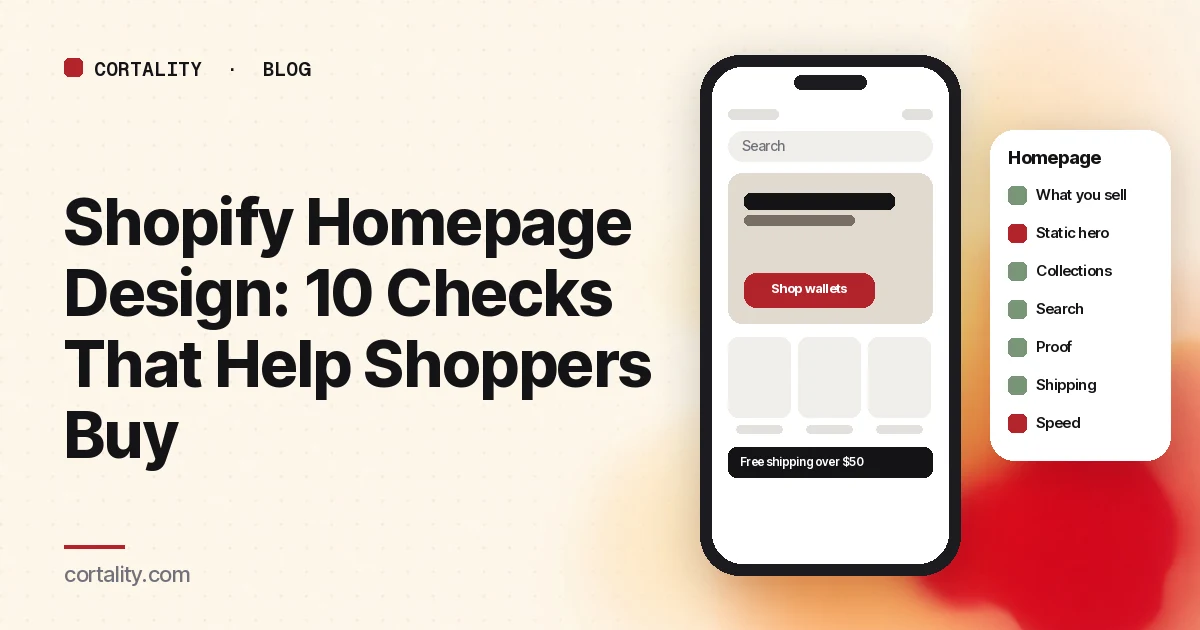
Most Shopify homepages are built in the theme editor, one section at a time: a slideshow, a featured collection, a banner, an Instagram feed, a newsletter box. Each one seemed like a good idea. Together they push the products a shopper came for three screens down on a phone.
Your homepage usually isn't where people buy. Its job is to get them to the right product or collection quickly, and to convince them the store is worth trusting. These ten checks are built around that job. They work on any theme, and none of them need an app.
Before you start: is the homepage worth your time?
Open Analytics > Reports in your Shopify admin and find the Sessions by landing page report, which shows which page sessions start on (Shopify Help Center, Behavior reports). If most sessions start on product pages from ads or search, your product pages matter more. If a large share start on the homepage, keep going.
Split everything by phone and desktop. On most stores the phone layout is the one that needs the work, and our guide to a low mobile conversion rate covers phone-specific issues in depth.
The 10 checks
1. Can a first-time visitor tell what you sell in a few seconds?
Baymard Institute's ecommerce audit framework starts its homepage section with exactly this question: is it clear within a few seconds what the site sells and who it's for? Baymard also reports that 64% of the sites it has benchmarked have mediocre-to-poor homepage and category navigation (Baymard, UX audit checklist).
Check: show someone the first phone screen for five seconds. Ask what the store sells. A brand slogan over a lifestyle photo often fails this test. Add a plain line such as "Handmade leather wallets and belts."
2. Is the hero static, with one clear action?
Slideshows are a theme default, not a requirement. Nielsen Norman Group notes that the dots used to move between slides are a particularly poor cue on mobile, because people often don't notice them (NN/g, Carousel Usability).
Check: if you use a slideshow, would the first slide do the job alone? If so, use a single image with one button that leads to your best-selling collection or product.
3. Are your main collections one tap from the first screen?
Nielsen Norman Group recommends giving visitors clear starting points for the main one to four tasks they come to do (NN/g, Top 10 Guidelines for Homepage Usability). For a store, those are usually your top collections.
Check: on a phone, can a shopper reach your top two or three collections without opening the menu? A row of collection tiles right under the hero is a common fix.
4. Do the menu labels use your shoppers' words?
Internal names like "Essentials Edit" or "Drop 04" mean nothing to a new visitor.
Check: read your menu as a stranger. Would they know what's behind each label? Rename items to the product types people search for.
5. Is search visible, and does it work?
Many shoppers search instead of browsing. A search icon hidden in a menu is easy to miss on a phone.
Check: is search visible on the homepage on a phone? Then open the Searches with no results report, which lists terms shoppers searched for that returned nothing (Shopify Help Center, Behavior reports). Fix the top ones by adding synonyms or updating product titles.
6. Do featured products show what shoppers need to click?
A featured collection with tiny images and no prices makes people tap into every product.
Check: does each product card show a clear image, the name and the price, and the rating if you have reviews? Are images consistent in crop and background so the row is easy to scan? Our collection page checklist covers product cards in more detail.
7. Is there real proof near the top?
New visitors want a reason to trust a store they've never heard of.
Check: is there at least one piece of real proof on the first or second phone screen, such as a review count and rating, a short customer quote, or press mentions you can link to? Never invent or round up numbers.
8. Are shipping and returns basics visible?
Unexpected costs are a common reason people abandon a purchase. Baymard's average of 50 studies puts online cart abandonment at about 70% (Baymard, cart abandonment rate). Some of that is browsing, but shoppers who know your shipping terms up front have less reason to leave at checkout.
Check: do your shipping cost or free-shipping threshold, delivery time and returns window appear somewhere a shopper sees without hunting, such as an announcement bar or a short row under the hero?
9. Does every section earn its place?
Instagram feeds, long brand stories, video backgrounds and multiple newsletter boxes all push products down the page.
Check: for each section, ask whether it helps a shopper find a product or trust the store. If it does neither, move it lower or cut it. Watch out for sections that only exist because the theme came with them.
10. Does it load fast on a phone?
Big hero images and videos are the most common cause of a slow homepage. Google's Core Web Vitals target is a Largest Contentful Paint of 2.5 seconds or less (web.dev, Web Vitals). Shopify's admin also has web performance reports that show your store's Core Web Vitals over time and by page type (same Shopify help page).
Check: run your homepage through PageSpeed Insights on mobile. Compress or resize the hero image, and remove apps you no longer use, since many add scripts to every page.
How to tell what's worth fixing
Rank what you find by how many visitors it affects and how clear the evidence is. A hero that fails the five-second test affects every homepage visitor. A slow Instagram feed at the bottom affects few.
Then change one thing at a time. Note the date, and compare equal periods before and after, using the same days of the week and the same traffic sources. If you're doing this ahead of the holidays, our Black Friday landing page checklist covers the seasonal version.
The checklist (copy this)
- Sessions by landing page checked; homepage share known
- Phone and desktop checked separately
- Five-second test: a stranger can say what you sell
- Single static hero with one clear button, or a first slide that works alone
- Top two or three collections one tap from the first phone screen
- Menu labels use shoppers' words
- Search visible on phones; top no-result searches fixed
- Featured products show image, name, price and rating
- Real proof on the first or second phone screen
- Shipping cost, delivery time and returns visible
- Every section helps shoppers find or trust; the rest moved or cut
- Mobile PageSpeed Insights checked; hero image compressed
- One change at a time, with equal before-and-after periods
Where Cortality fits
A checklist tells you what a homepage should do. It can't tell you which section your own shoppers skip, or which one is costing you sales.
For a quick starting point, our free page leak scan shows where visitors are likely to look on your homepage and what fixing it could be worth. It takes about a minute, no install needed. The scan is a prediction from our attention model, not data from your real visitors, so treat it as a place to start. You see a first-screen attention prediction right away, and the full findings arrive by email a few minutes later.
If you send Meta ads to your store, see Cortality for Shopify stores.
When you want answers from your own traffic, Cortality's paid product uses a small tag on your store to measure how real shoppers use every part of your page, then gives you a ranked list of fixes with the exact change for each. After you make a fix, it re-measures to show whether it worked. You can see what a finding looks like or read how the measurement works.
Start your free week and you see your first report before you pay. You save a card at signup, nothing is charged until 3 days after your first report, and you can cancel before then and pay nothing. Any charge can be refunded within 14 days (refund policy). Plans start at $99 a month, and the visitor limits are on the pricing page.
Questions
What should be on a Shopify homepage?
A clear statement of what you sell and for whom, a visible search bar, one or two main paths into your best collections or products, proof such as reviews, and your shipping and returns basics. Everything else is optional. The homepage's job is to get shoppers to the right products quickly.
Should my Shopify homepage use a slideshow?
Use a single static hero unless you have a strong reason not to. Rotating slides are easy to miss, and Nielsen Norman Group notes that the dots used to navigate carousels are a particularly poor cue on mobile. If you keep a slideshow, put the most important message in the first slide.
How do I know if my Shopify homepage is the problem?
Check how many sessions start on the homepage in the Sessions by landing page report. If few do, other pages matter more. If many do, compare how often homepage visitors go on to view a product or collection with how often visitors from other entry pages do.
How many sections should a Shopify homepage have?
There is no right number. Each section should help a shopper find a product or trust the store. If a section does neither, cut it, because every extra section pushes the useful ones further down a phone screen.