Shopify Black Friday Landing Page: A 12-Point Pre-Launch Checklist
Black Friday 2026 is Friday, November 27, and Cyber Monday is November 30. Most shoppers who reach your sale page already know there's a sale, because an email, ad or post told them. What they land on decides whether they buy.
Shopify merchants sold $14.6 billion over Black Friday Cyber Monday 2025, with sales peaking at $5.1 million per minute at 12:01 p.m. ET on Black Friday (Shopify). That's across all Shopify stores, not a forecast for yours, but it shows how much traffic arrives in a short window, and how little time you have to fix a page once the sale starts.
This checklist covers building and testing a Shopify Black Friday landing page with about four weeks to go. It pairs with our Shopify product page audit: the landing page gets shoppers to products, and the product pages close the sale. For the sale-specific product page checks, see our Black Friday product page checklist.
What a Black Friday landing page has to do
A sale landing page has three jobs:
- Confirm the offer. The shopper should see the deal they were promised, right away.
- Get them to the right products in one or two taps.
- Make the terms clear enough that nothing surprises them at checkout. That covers exclusions, codes, shipping and returns.
If a section of your page doesn't serve one of those jobs, cut it for the weekend.
Where to build it
Your theme editor is free and usually the fastest-loading option. A page builder app gives you more layouts and countdown or bundle blocks, so check what it does to your page speed on a phone before you commit. A developer can build a custom template, for example one without the main navigation, at a higher cost.
Whichever you pick, use a stable URL such as /pages/black-friday and reuse it every year, so links to it keep their value. Out of season, turn it into a "join the list for our next sale" page instead of deleting it.
To avoid editing the live theme at midnight, Shopify's Rollouts feature can publish changes for a set period with an Event, then roll them back automatically when it ends (Shopify Help Center).
The 12-point checklist
The offer (checks 1-4)
1. Does the headline state the offer and the end date in plain words? "30% off everything until Monday, Nov 30 at midnight ET" tells a shopper what they get and how long they have. "Our biggest sale ever" tells them nothing.
2. Does the page match every email and ad that links to it? Open each campaign next to the page. The same offer, products and wording should be visible on arrival. If an ad promises 40% off boots and the page leads with 20% off sitewide, the shopper assumes they're in the wrong place.
3. Is the offer written in text, not only in a banner image? Text loads first, reads well on small screens, and works for screen readers and search engines. A discount baked into a slow banner image does none of that.
4. Are your savings honest and easy to read? Show the original price next to the sale price only if the original is a price you really charged. In the US, the FTC's guides on former price comparisons say a "was" price should be one the item was actually offered at, on a regular basis, for a reasonably substantial period (16 CFR Part 233).
On Shopify, compare-at prices show crossed out on product and collection pages, but savings from automatic discounts or codes show crossed out only at checkout unless you add an app or custom code (Shopify Help Center). If your sale runs on a discount, say on the page that it's applied at checkout, or shoppers will think the sale is missing.
Getting to products (checks 5-7)
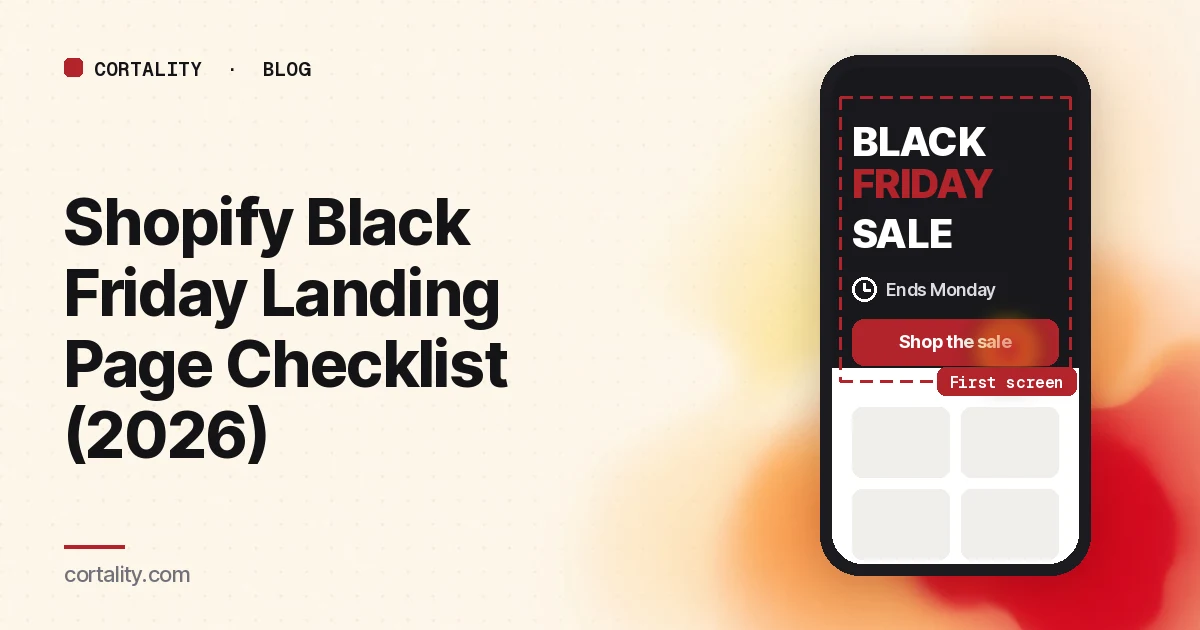
5. Does the first screen on a phone show the offer, the deadline and a way in? Adobe found that 57.5% of US online sales on Cyber Monday 2025 came through a mobile device, and on Thanksgiving mobile passed 60% for the first time (Adobe). On a real phone, the offer, the deadline, and one button or the first row of products should show without scrolling.
6. Is the page organized the way people shop? Lead with your bestsellers and the products in your ads and emails, then group the rest by category, price ("Gifts under $50") or recipient. Move sold-out items to the end. A row of "Sold out" badges at the top tells shoppers they're too late.
7. Is there one clear path? A cookie banner, an email popup, a spin-to-win wheel and a chat bubble can all land on the same phone screen. Keep one at most, and make sure nothing covers the buttons. Many sale visitors came from your email list, so an email popup asks them for something you already have.
Terms and reassurance (checks 8-10)
8. Are shipping costs and holiday delivery dates visible? In Baymard Institute's survey of US shoppers, setting aside those just browsing, 40% had abandoned an order because extra costs were too high and 20% because delivery was too slow (Baymard Institute). Put your free shipping threshold and your real holiday order-by dates on the page. Only publish dates your carriers and warehouse can meet.
9. Are the sale terms stated? Say which items are excluded, whether a code is needed, and whether discounts combine. Shopify lets you choose which product, order and shipping discounts can combine (Shopify Help Center). Say what you set on the page, then test it.
10. Is the returns policy clear, including for gifts? In the same Baymard survey, 13% of shoppers had abandoned an order because the returns policy wasn't satisfactory. If you extend returns for holiday orders, or sale items are final sale, say so near the products and link to the full policy.
Speed and urgency (checks 11-12)
11. Does it load fast on a phone? Run the page through PageSpeed Insights on mobile. Compress the hero image and don't lazy-load it. Google's web.dev team found that pages using lazy loading tended to have a slower Largest Contentful Paint, the time until the main content appears (web.dev). App blocks like countdowns and sliders add scripts, so test with all of them on.
12. Is every timer and scarcity message real? A timer that resets on refresh is misleading, and shoppers who notice stop trusting the rest of the page. Show "only 3 left" only when it comes from real inventory.
Test it end to end, a week before
On a phone, in a private browser window, click through from each email and ad link to the landing page, a product, the cart, and a completed checkout with the discount applied. Use every payment method you offer, and try code combinations you don't intend to allow to make sure they fail. Shopify's own BFCM checklist also recommends a test abandoned checkout and a test order to confirm your emails fire (Shopify).
Put UTM tags on every link so you can see which emails and ads drove sales. Then stop editing: schedule the launch, and don't touch the live theme during the weekend unless something breaks.
Measure it honestly afterward
Black Friday visitors arrive ready to buy, so comparing your Black Friday conversion rate with an ordinary week tells you about the season, not your page. Compare this year's BFCM with last year's, same days against same days. Then look at the steps on the page: how many visitors clicked into a product, added to cart, and reached checkout. A big drop before product clicks points to checks 1-7. A drop at checkout points to checks 8-10.
Write down what you'd change while it's fresh and fix it in January. Our guide to CRO without A/B testing covers how to measure changes honestly when you can't run a proper test.
The checklist (copy this)
- Stable, reusable URL; sale changes scheduled, not hand-edited at midnight
- Headline states the offer and end date, in text, matching every email and ad
- "Was" prices are real; discount-at-checkout explained on the page
- First phone screen shows the offer, the deadline, and a way in
- Bestsellers first, grouped the way people shop, sold-out items moved
- At most one popup, and nothing covers a button
- Shipping costs, free shipping threshold, and real order-by dates visible
- Exclusions, codes, combination rules and returns (including gifts) stated
- Mobile PageSpeed checked; hero image compressed and not lazy-loaded
- Every timer and stock message is real
- Full purchase rehearsed on a phone with every discount and payment method
- UTMs on every link; results compared with last year's BFCM afterward
Where Cortality fits
A checklist can't tell you which problem is costing your page the most. For a quick read before launch, run your Black Friday page through our free page leak scan. It shows where shoppers are likely to look and what fixing it could be worth, in about a minute, with no install or card. It's a prediction from our attention model, not data from your real shoppers.
If you want measurements from your own shoppers before the weekend, timing matters. Cortality's paid product measures how real visitors use every part of your page and ranks what to fix, with the exact change for each, then re-measures each fix you ship. Your first report arrives once the page has 100 visitors, usually around the end of the first week, so install in early November to have it before Black Friday. It works with Shopify storefront pages (install steps), and you can see what a finding looks like.
Your first week is free, and you see your first report before you pay. You save a card at signup, and nothing is charged until 3 days after your first report. Cancel before then and you pay nothing, and any charge can be refunded within 14 days.
FAQ
When should I publish my Black Friday landing page?
Build and test it at least a week before the sale, then schedule it. Many stores open it early as a sign-up page and switch to the full offer on launch day.
Should I use a countdown timer?
Only if the deadline is real and the timer shows the same end time to everyone. Never use one that resets.
Can I A/B test my Black Friday landing page?
Shopify Rollouts Experiments can split traffic on the Grow plan or higher (Shopify Help Center). Over a four-day sale, though, you may not get a clear winner, and a test that splits traffic means half your shoppers see the weaker version during your busiest days. Most smaller stores are better off getting the checklist right, then measuring the page's steps against last year.