Shopify Add to Carts but No Sales: How to Find Where Buyers Drop Off
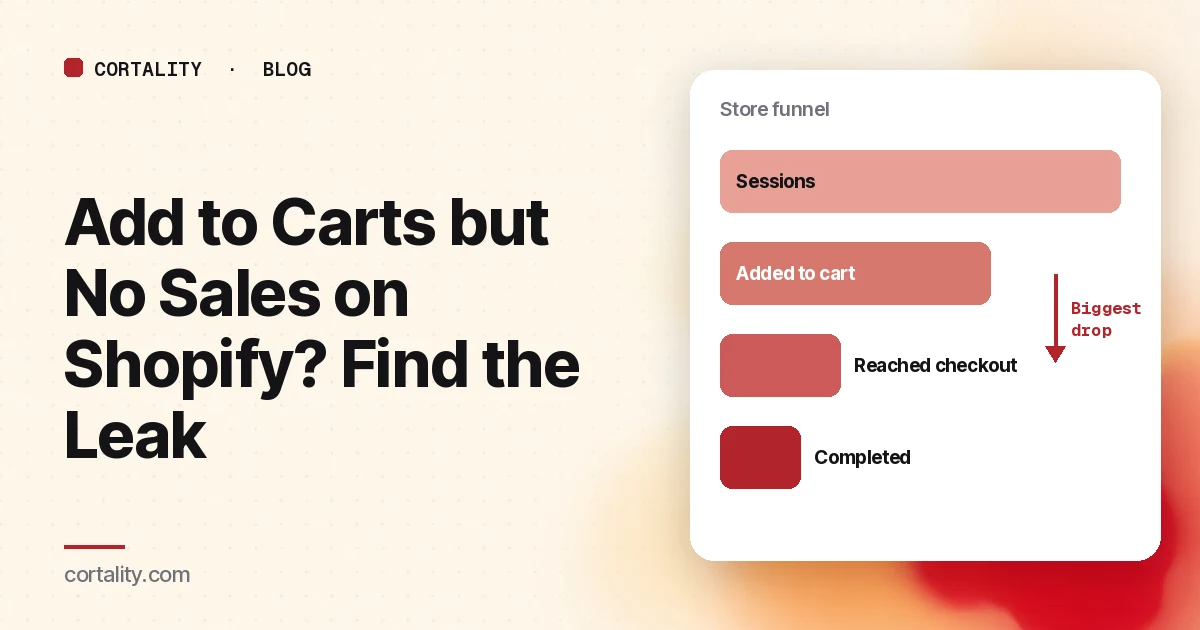
You can see the add to carts coming in. The orders aren't. It's one of the most frustrating patterns in a Shopify store, because it feels like you're so close: shoppers liked the product enough to pick it, and then something stopped them.
The fix depends entirely on where they stop. A shopper who never opens checkout has a different problem from one who reaches the payment step and leaves. So before you change anything, find the step.
Step 1: Read the funnel Shopify already gives you
Shopify has a funnel report built in. In your admin, go to Analytics > Reports and open Conversion rate breakdown. According to Shopify's documentation, it shows four steps in order:
- All sessions
- Sessions with cart additions
- Sessions that reached checkout
- Sessions that completed checkout
Look at the drop between each pair of steps, not at the overall conversion rate. Three details in Shopify's definitions matter here:
- "Reached checkout" means interaction, not just a page view. Shopify counts a session as reaching checkout when there was user input during checkout, such as a key press or a click.
- Open and closed funnels count differently. The open funnel includes sessions that skip steps, such as a shopper who goes straight to checkout. The closed funnel only counts sessions that complete the steps in order, and hovering a step shows its drop-off rate. Use the closed funnel to find your biggest drop.
- Session numbers changed this fall. Shopify notes that a session measurement update rolled out from September 21 to 23, 2026, and that session-based metrics such as conversion rate might look different afterward without any real change in behavior. Don't compare a period before that rollout with one after it and conclude something broke.
Two more filters are worth setting before you read anything. Shopify lets you filter reports by human and bot traffic, so exclude bots. Then split by device: Shopify's docs suggest asking Sidekick to "Show my conversion rate by device type for the last 30 days," and there's a Sessions by device report too. A funnel that looks fine on desktop and collapses on phones points you straight at the mobile experience.
Step 2: Decide whether the drop is actually unusual
Some loss between cart and order is normal. Baymard Institute averages 50 published studies to a documented cart abandonment rate of 70.22%, and in its own survey, 42% of US online shoppers said they had abandoned a cart because they were "just browsing / not ready to buy." People use carts as wish lists and price comparisons.
So the useful question isn't "is my abandonment high?" It's "did it get worse, and at which step?" Compare the last four weeks with the four weeks before, using the same days of the week, and the same side of the September rollout. A step that suddenly got worse usually lines up with something you changed: a new app, a theme update, a shipping rate change, or a new traffic source.
Step 3: Work through the causes for your step
If carts don't reach checkout
The shopper added something but never started checkout. The problem is usually in the cart itself or in what the cart reveals.
- The total surprises them. In Baymard's survey, once "just browsing" is set aside, 40% of abandoners named extra costs (shipping, tax, fees) as the reason, and 12% said they couldn't see or calculate the total order cost up front. If shipping only appears at checkout, say how it works in the cart: free over a threshold, a flat rate, or calculated at checkout.
- The checkout button is hard to reach on a phone. Open your cart drawer and cart page on a real phone. If upsells, a gift note box, and a recommendation carousel push the checkout button below the first screen, shoppers have to hunt for it.
- The cart sends them away. A promo code box can send shoppers off to search for codes. Links back to collections, "you may also like" blocks, and popups all give a hesitating shopper an exit.
- The cart is broken. Change a quantity, remove an item, and apply a discount on a phone and on desktop. Apps that change the cart are a common source of errors after an update.
One quirk to know: Shopify's accelerated checkout buttons on the product page let shoppers skip the cart. The unbranded "Buy it now" button goes straight to checkout, and branded buttons like Shop Pay, Apple Pay or PayPal complete payment with that method. Those sessions can reach checkout without a cart addition, which is one reason the open and closed funnels differ.
If checkout starts but doesn't finish
The shopper interacted with checkout and left. Baymard's list of reasons, again with "just browsing" set aside, is a good checklist:
| Reason shoppers gave | Share |
|---|---|
| Extra costs too high (shipping, tax, fees) | 40% |
| Delivery was too slow | 20% |
| Didn't trust the site with card information | 19% |
| The site wanted them to create an account | 18% |
| Too long or complicated checkout | 17% |
| Website had errors or crashed | 17% |
| Returns policy wasn't satisfactory | 13% |
| Couldn't see or calculate total cost up front | 12% |
| Credit card was declined | 10% |
| Not enough payment methods | 9% |
Source: Baymard Institute. Shoppers could give more than one reason.
Several of these map to Shopify settings you can check in a few minutes:
- Account sign-in. In Settings > Checkout, there's an option to require customers to sign in before checkout. Shopify's checkout form documentation notes that when it's on, accelerated checkout options such as Apple Pay aren't shown in the cart. Unless you have a real reason to require accounts, leave it off.
- Payment methods. Check which wallets are turned on in your payment settings, because the branded accelerated buttons only appear for methods you've activated.
- Stock. Shopify checks the cart against inventory at each checkout step and shows an error if an item became unavailable. Inventory is only held once the customer submits payment, according to Shopify's checkout overview. During a sale on low-stock items, shoppers can lose an item mid-checkout.
The other reasons on the list, like delivery speed, returns and trust, are mostly about what shoppers read before checkout. Make sure your delivery estimate and returns policy are stated on the product page and in the cart, not only in a footer link.
If the funnel looks fine but orders are still low
Then the problem is earlier: not enough shoppers add to cart in the first place. That's a product page question, and our 12-point Shopify product page audit is the place to start.
Step 4: Buy something from your own store
Reports tell you where. Doing it yourself tells you why. Shopify's guide to test orders explains how to place one with the test payment gateway or Shopify Payments test mode. Note Shopify's caution: customers can't place live orders while your payment provider is in test mode, so do it at a quiet hour and switch it back. Or place a real order and refund it, which may cost processing fees.
Do it on your phone, on mobile data, from a product page you advertise. Write down every moment you hesitate: a cost you didn't expect, a field you didn't understand, a slow step, a button you had to look for.
Step 5: Fix one thing and measure it
You'll likely find several problems. Rank them by how many shoppers they touch (every cart, or one product?), how much evidence you have (just a hunch, or the funnel and customer emails agree?), and how hard the fix is. Make one change, write down the date, and compare the same funnel step over equal periods before and after. Avoid judging a change across a sale or a holiday weekend.
Most stores can't run a proper A/B test on one funnel step. Our guide to CRO without A/B testing explains how to measure a change honestly anyway. And if the holidays are close, our Black Friday product page checklist covers the sale-specific checks.
The checklist (copy this)
- Opened Analytics > Reports > Conversion rate breakdown, with bots filtered out
- Found the biggest drop in the closed funnel
- Split the funnel by device
- Compared equal periods, on the same side of the September 21-23, 2026 session update
- Cart shows how shipping works before checkout
- Checkout button visible in the cart drawer and cart page on a phone
- Cart edits and discounts tested after the latest app or theme update
- "Require sign-in before checkout" is off unless it's truly needed
- Wallet payment methods turned on in payment settings
- Low-stock items checked before a sale
- Placed a test order on a phone, on mobile data, and noted every hesitation
- Made one change, dated it, and compared before and after
Where Cortality fits
Shopify's funnel tells you which step loses buyers. It can't show you what shoppers did on the page before they left: whether they saw the shipping line, scrolled past the checkout button, or never reached the reviews.
For a quick start, our free page leak scan predicts where visitors look on your product page and what fixing the leak could be worth, with no install needed. It's a prediction from our attention model, not data from your real shoppers, so treat it as a place to start looking.
When you want answers from your own traffic, Cortality's paid product measures how real visitors use every part of your storefront pages, ranks what to fix with the exact change for each, and re-measures after you ship a fix to show whether it worked. You paste one tag into your theme (install steps). It covers the pages that run on your theme, not Shopify's checkout pages. See what a finding looks like.
Start your free week, and you see your first report before you pay. You save a card at signup, and nothing is charged until 3 days after your first report. Cancel before then and you pay nothing, and any charge can be refunded within 14 days. How the free week works.
Questions
Why do people add to cart but not buy on Shopify?
Some of it is normal browsing: in Baymard Institute's survey, 42% of US online shoppers said they had abandoned a cart because they were just browsing. Among the other reasons, extra costs such as shipping, tax and fees are the most common, followed by slow delivery, not trusting the site with a card, being asked to create an account, and a long or complicated checkout.
Where do I see add to cart and checkout numbers in Shopify?
In your Shopify admin, go to Analytics > Reports and open the Conversion rate breakdown report. It shows sessions, sessions with cart additions, sessions that reached checkout, and sessions that completed checkout as a funnel.
What is a normal cart abandonment rate?
Baymard Institute averages 50 published studies to a documented cart abandonment rate of 70.22%. Studies measure it differently, so compare your store against its own past weeks rather than against one benchmark.
Can I see where shoppers leave inside Shopify's checkout?
Shopify's reports show whether a session reached checkout and whether it completed. Apps that customize the information, shipping and payment pages are only available on Shopify Plus, so on other plans, rely on Shopify's reports, a test order and what customers tell you for the steps inside checkout.